
Everything you need. Nothing you don't.
PDF & EPUB import
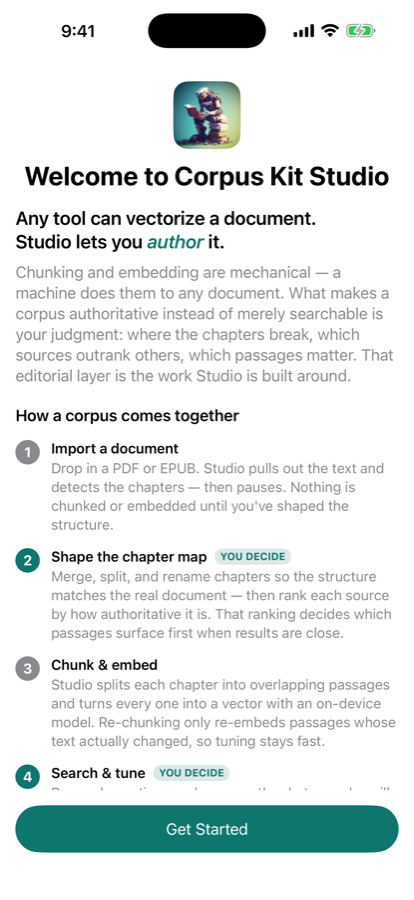
Drag in any PDF or EPUB. CorpusKit Studio extracts text using Apple's native frameworks — no third-party tools or Python required.
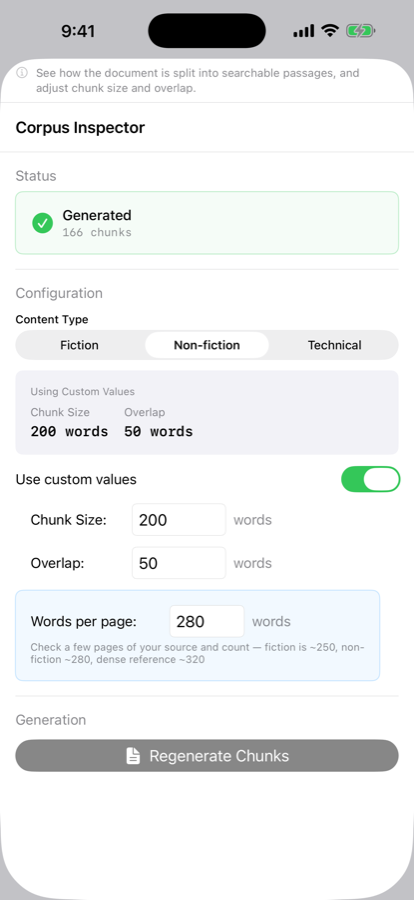
Smart text chunking
Configurable chunk size and overlap in pure Swift. Preview your chunks before embedding to dial in the right settings for your content.
On-device embeddings
The embedding model runs via Core ML on your device's Neural Engine — fast, private, and shared across the CorpusKit ecosystem.
Live retrieval testing
Query your corpus in real time before you ship. See ranked results with cosine similarity scores to validate your chunking strategy.
Highlight & rate
Read your source document inside the app. Highlight passages and rate their importance — curator signals travel with the exported corpus.
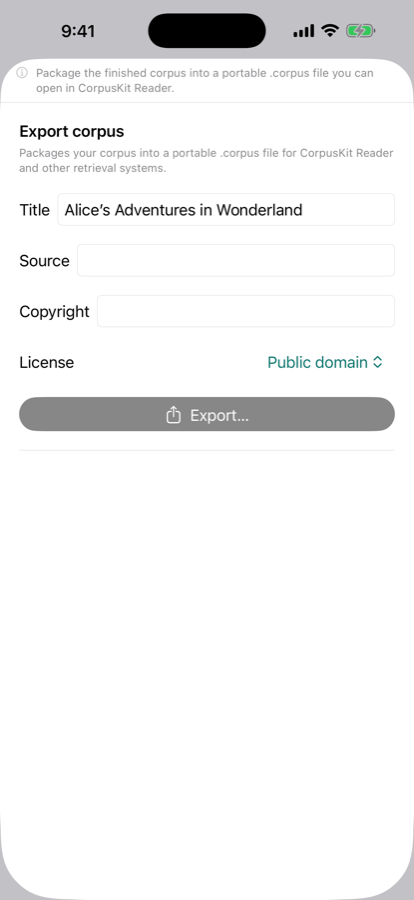
Signed .corpus export
Export a signed bundle consumable by any CorpusKit iOS app. Includes chunks, embeddings, metadata, and your curation data.
Screenshots
Who it's for
Developers building RAG apps
Stop wrangling Python pipelines to create embeddings. CorpusKit Studio is a native app that produces corpus bundles your iOS app can consume directly — no backend required.
Researchers & knowledge workers
Highlight the passages that matter, rate their importance, and export a corpus that reflects your expertise — not just raw text extraction.
Private document collections
Process sensitive documents entirely on-device. No data leaves your device during embedding. Distribute corpora to your team without a cloud intermediary.
Private by construction
All local
Every document, chunk, and embedding stays in the app's own storage — visible via Finder on Mac or the Files app on iPhone and iPad. Nothing is sent to external servers.
On-device ML
Embeddings run via Core ML on your Neural Engine. No API calls, no cloud inference, no data leaves your device.
No account required
Download and use immediately. No sign-up, no email, no subscription. Sensitive settings stored in Keychain.
App Sandbox
The app operates within Apple's security sandbox. File access is managed by the system — only files you explicitly open are accessible.
Built on Apple's frameworks
No Python, no heavy dependencies. Native performance throughout.
| Document import | PDFKit (PDF) · EPUB parser |
|---|---|
| Embeddings | Core ML · on-device model |
| Vector search | Accelerate vDSP |
| Persistence | SwiftData |
| Export signing | CryptoKit |
| Platform | iOS 26+ · macOS 15.6+ |
Requirements
- iPhone, iPad, or Mac
- iOS 26 or later · macOS 15.6 or later
- Available on the App Store
- No internet connection required
Privacy
CorpusKit Studio collects no personal data, has no accounts, and makes no network requests during normal use. Read the full privacy policy.